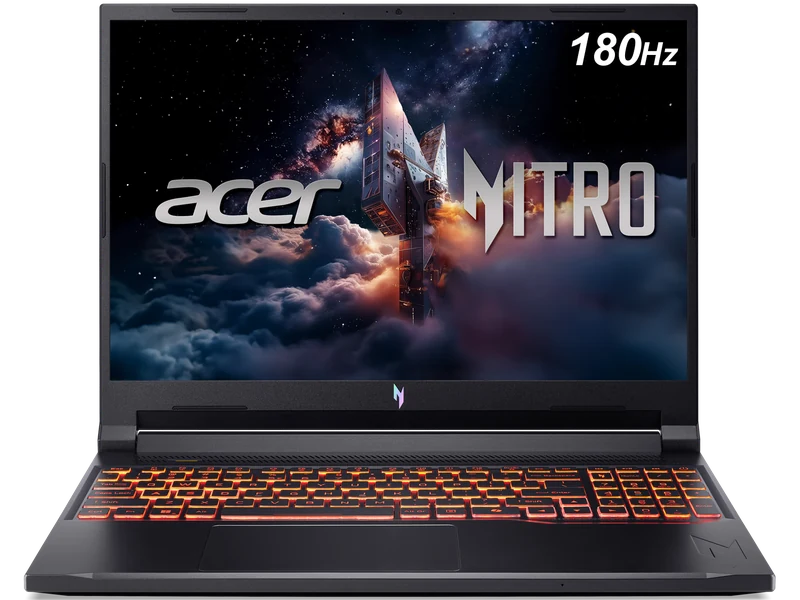
Full Specifications
| GPU | RTX 5060 8GB GDDR7 · up to 85W graphics power |
| CPU | AMD Ryzen 7 260 · 8 cores |
| RAM | 32GB DDR5 · upgradeable |
| Storage | 1TB PCIe Gen4 NVMe |
| Display | 16" 1920×1200 IPS 180Hz · 300 nits |
| Weight | approximately 2.1kg |
| Battery | 76Wh |
| Price | Check current retailer price |
The 8.1 is a historical editorial assessment, not an exact-unit measurement or a current-price value ranking. Category subscores were removed on September 28, 2026 because they were not tied to matching thermal, noise or battery tests.
Gaming Performance
Thermals & Noise
The sourced exact-configuration review provides the performance evidence above. Temperatures, noise, surface heat, and sustained wattage still vary with firmware, profile, room conditions, and workload, so this page does not present unverified lab measurements as universal results.
Display
The official specification confirms a 1920×1200 IPS panel at 180Hz. Its 16:10 aspect ratio provides more vertical workspace than a 16:9 panel; brightness and colour coverage can vary by regional configuration, so verify the exact listing if those qualities are priorities.
Pros & Cons
- 32GB DDR5 in the verified configuration
- 16:10 display — useful for productivity
- Exact-configuration benchmark evidence is published
- 1TB SSD and 76Wh battery
- 85W GPU ceiling trails 115W RTX 5060 alternatives
- WUXGA rather than QHD resolution
- Retail price and seller require a live check
Who Should Buy This?
Students and creators who want 32GB RAM for multitasking alongside gaming and find the exact ANV16S-41-R2AJ at a competitive live price.
Maximum RTX 5060 performance is the priority. Verified 115W alternatives provide more graphics power headroom.
Benchmark context
No additional synthetic score is assigned to this configuration. A matching GPU name alone cannot establish matching performance: CPU, graphics power, memory and cooling can change the result.
For game-specific comparisons, use Notebookcheck’s game database and inspect the contributing laptop, resolution and preset. Separate native rendering, upscaling and frame generation. In 3DMark result search, inspect the individual run and configuration before comparing; a leaderboard entry is not a typical retail result.
The buying verdict
Is Acer Nitro V 16S AI right for you?
Choose it for
32GB memory and a 16:10 display.
Consider another option if
You want more graphics headroom or a higher-resolution panel.
FRAMELIMIT may earn a commission from qualifying purchases at no extra cost to you.