GPU power source update — September 14, 2026: Lenovo’s current LOQ specification lists 100W. PCWorld describes its reviewed configuration as 115W. The published FPS remain attributed to the publisher’s test unit; check the selected retail configuration. See the LOQ review’s evidence explanation.
Memory context: RTX 5060 Laptop GPUs use 8GB GDDR7. See what that capacity means—and what it does not—in our gaming laptop VRAM guide.
Why RTX 5060 Laptop TGP and Exact SKU Matter
“RTX 5060 Laptop GPU” does not describe the whole machine. The LOQ is configured up to 100W, while the Nitro and Gigabyte options in this shortlist are 85W configurations. CPU limits, cooling, memory, firmware, power mode, resolution, upscaling, and Frame Generation can also change a result.
For that reason, this guide does not manufacture one cross-source average. Use the linked evidence rows only when the game, resolution, preset, upscaling state, Frame Generation state, and power mode are comparable.
| Exact configuration | RTX 5060 TGP | Display | Memory / storage | Evidence status |
|---|---|---|---|---|
| Lenovo LOQ 15 | 100W | 15.6″ 1920×1080 144Hz IPS | 16GB / 512GB | Publisher rows · historical score 8.5 |
| Acer Nitro V 16S | 85W | 16″ 1920×1200 180Hz IPS | 32GB / 1TB | Exact sourced rows · score 8.1 |
| Gigabyte Gaming A16 | 85W | 16″ 1920×1200 165Hz IPS | 16GB / 1TB | Related 32GB rows · unranked |

The LOQ combines the highest official RTX 5060 power limit in this shortlist with a conventional upgradeable layout. Its exact 15AHP10 review contains attributed game rows, so it can be ranked without transferring results from another memory or storage configuration.
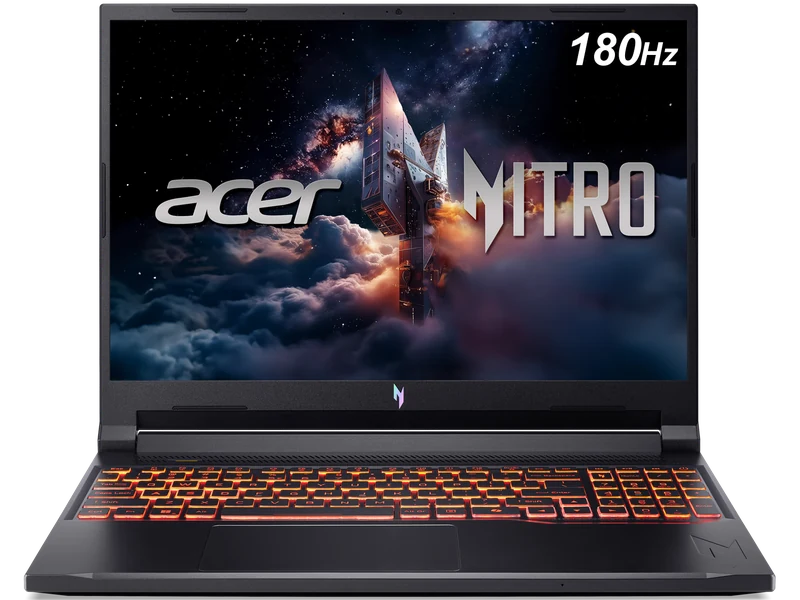
The Nitro trades the LOQ's higher maximum GPU power for 32GB memory, 1TB storage, and a taller 180Hz panel in the linked configuration. It is ranked second from its exact published evidence, not from an assumed universal 100W-versus-85W performance gap.
Unranked Directly Buyable Alternative

The retail model code, 16GB memory, 1TB storage, 165Hz display, and Amazon link are verified. The published review evidence comes from a related regional 16GB unit, so this exact retail configuration remains unranked until a matching dataset is available.
Choose for Your Games Before Choosing a Power Limit
Write down your three most-played games, intended resolution and acceptable quality settings. Competitive games make responsiveness and frame-time consistency important; visually demanding single-player games may lead you to accept a lower frame rate for better image quality. A generic GPU ranking does not resolve that trade-off.
Use the rendering-mode database to distinguish native results from upscaling and generated frames. Compare matching settings and look for 1% lows where the publisher reports them. An absent low-FPS result is missing evidence; it should not be substituted with an average from another game or another memory configuration.
85W Versus 100W: What the Number Can Tell You
The shortlist includes different published GPU power ceilings. A higher ceiling gives a design more power headroom, but it does not specify an FPS advantage or guarantee quieter operation. Cooling, firmware and the selected performance mode determine how the system behaves in a sustained workload. Compare measured game results rather than calculating a percentage performance increase from the wattage ratio.
The same GPU label also does not make the entire laptop equivalent. Check the screen, installed memory, storage and CPU against your workload. The linked Gigabyte configuration has 16GB memory and Clubic tests a regional 16GB unit whose exact US SKU match is not established; keep that distinction visible when comparing it with another offer.
When to Move Beyond the RTX 5060 Shortlist
If your priority is a demanding high-resolution game with expensive texture or ray-tracing settings, first find a matching test of that workload. If acceptable image quality and responsiveness require compromises you do not want, compare a higher-tier laptop using the same settings. Do not pay more merely because the GPU name is larger; the rest of the configuration and actual offer still matter.
For a fixed budget, leave room for necessary memory or storage work before choosing the laptop. Compare the final cost and return terms of the exact listings. These candidates are a research shortlist while current prices are unavailable, so none is confirmation of a live sub-$1,500 offer.
Compare the RTX 5060 Picks Directly
The Lenovo LOQ 15 vs Acer Nitro V 16S comparison keeps both exact evidence sets separate while comparing configuration trade-offs. The Lenovo LOQ 15 vs Gigabyte Gaming A16 comparison explains why exact retail specifications do not make related benchmark evidence directly interchangeable.