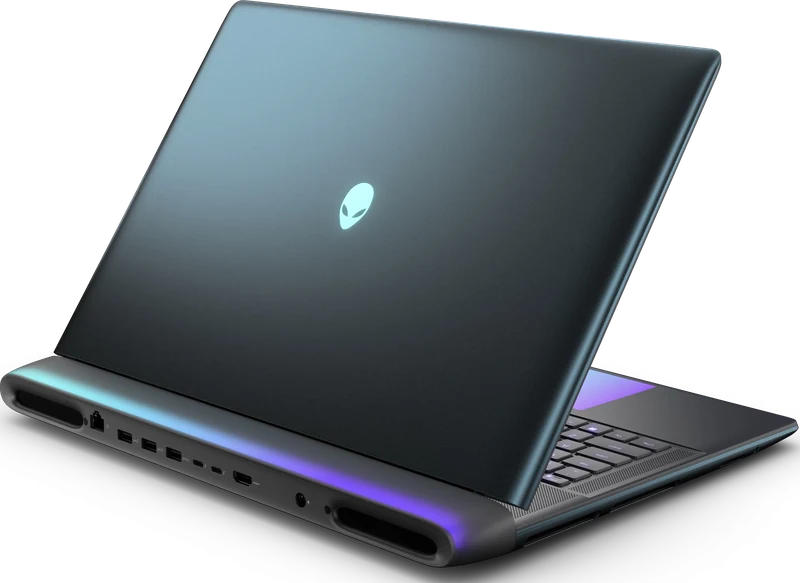
Full Specifications
| GPU | RTX 5090 24GB GDDR7 · 175W TGP |
| CPU | Intel Core Ultra 9 275HX |
| RAM | 64GB DDR5-6400 · upgradeable |
| Storage | 4TB PCIe Gen5 NVMe (RAID) |
| Display | 18" 2560x1600 IPS 300Hz |
| Weight | 4.34kg |
| Battery | 96Wh |
| Price | Check current retailer terms |
Score Breakdown
Gaming Performance
The 300Hz Display
The measured AA18250 uses an 18-inch 2560x1600 IPS panel at 300Hz. It is fast enough for competitive play, but the exact panel option must be checked because Area-51 configurations vary by market.
Thermals & Build
The 4.34kg chassis is a desktop replacement. The benchmark section reports only values tied to the cited AA18250 configuration; temperature and noise comparisons require matching performance mode and room conditions.
Is $4,999 Justified?
Only for a specific buyer. The RTX 5090 delivers 15–20% more performance than the RTX 5080 — a real but modest gap that DLSS 4 Multi Frame Generation can synthesise anyway. You're paying $2,300 more than a Legion Pro 7i for that gap, the 480Hz display, and 64GB RAM. If competitive gaming at the absolute limit matters or you need 24GB VRAM for professional workflows, the Area-51 is the only choice. For everyone else, the RTX 5080 tier is the rational purchase.
- RTX 5090 — highest GPU performance in any laptop
- 300Hz 2560x1600 display
- Cherry MX mechanical keyboard — best typing of any laptop
- 64GB DDR5 + 4TB RAID standard — no compromises
- 24GB VRAM — future-proof for years
- $4,999 — $2,300 more than the Legion Pro 7i
- 4.34kg — not practical for frequent travel
- Under 45min gaming battery
- No OLED — IPS only at this price
Compare this full-power configuration in the Best RTX 5090 Gaming Laptops guide, verify its published power class in the RTX 50 Laptop TGP Database, and review matching render-mode evidence in the DLSS and Frame Generation benchmark database.
Benchmark context
No additional synthetic score is assigned to this configuration. A matching GPU name alone cannot establish matching performance: CPU, graphics power, memory and cooling can change the result.
For game-specific comparisons, use Notebookcheck’s game database and inspect the contributing laptop, resolution and preset. Separate native rendering, upscaling and frame generation. In 3DMark result search, inspect the individual run and configuration before comparing; a leaderboard entry is not a typical retail result.
The buying verdict
Is Alienware 18 Area-51 right for you?
Choose it for
A large high-refresh screen and 24GB graphics memory.
Consider another option if
You carry your laptop between classes or work every day.
FRAMELIMIT may earn a commission from qualifying purchases at no extra cost to you.